
Automatic transfers
This page lets you manage recurring operations: rent, subscriptions, salary, regular direct debits... Once configured, an automatic transfer generates the corresponding operations on the relevant account by itself, on the scheduled date.
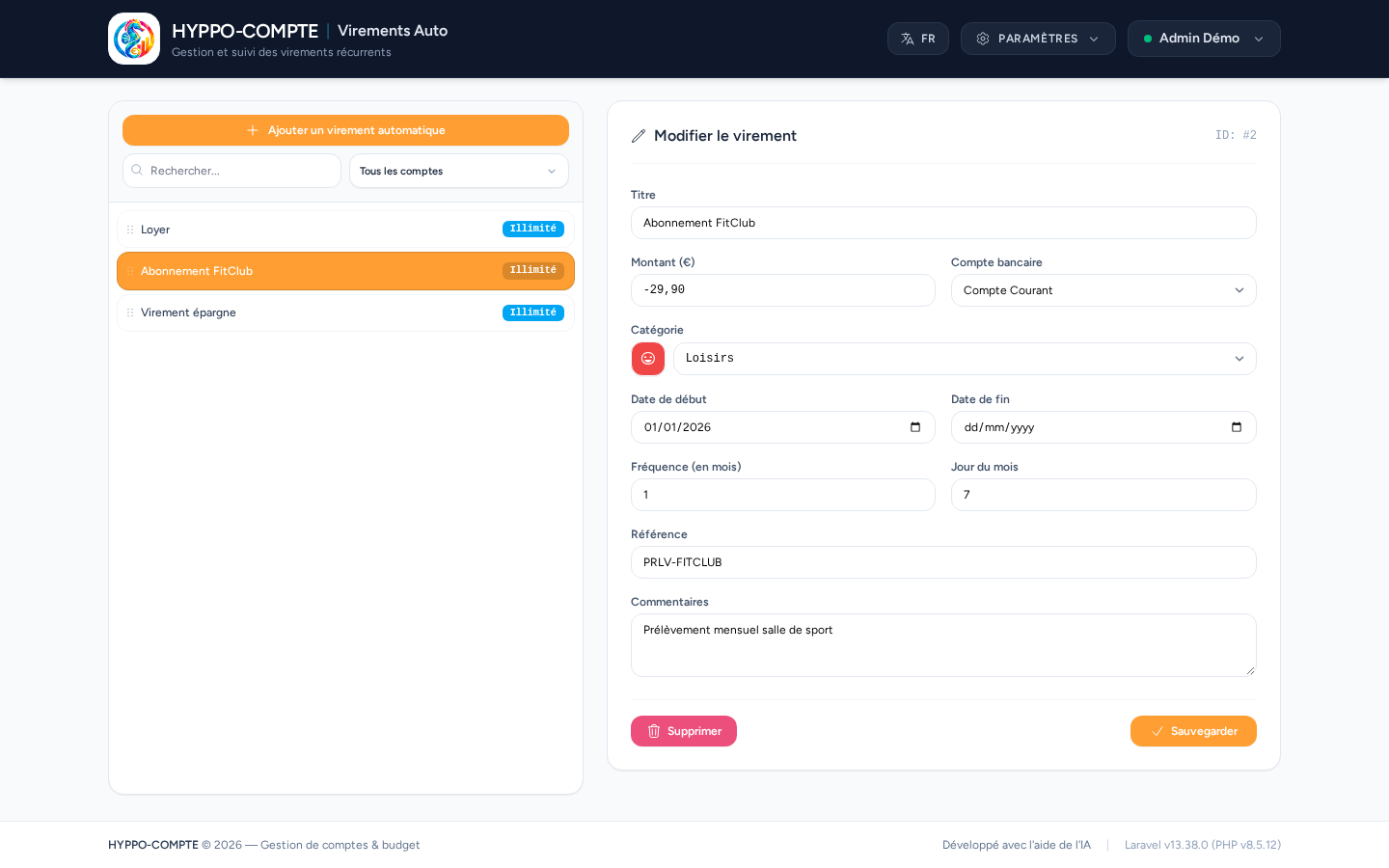
Creating an automatic transfer
The Add an automatic transfer button opens a form with:
- a free-text title and reference;
- the amount (positive for income, negative for an expense) and the relevant bank account;
- a category;
- a start date, an optional end date, a frequency (in months) and a day of the month to run on;
- a free-text comments field.
Statuses
In the left-hand list, a badge shows the transfer's status: Unlimited (no end date), or an indication when the transfer has expired or is due soon, to spot at a glance which transfers need checking.
Reordering
As with categories, the ⠿ handle lets you drag and drop automatic transfers to change their display order.