
Statistics
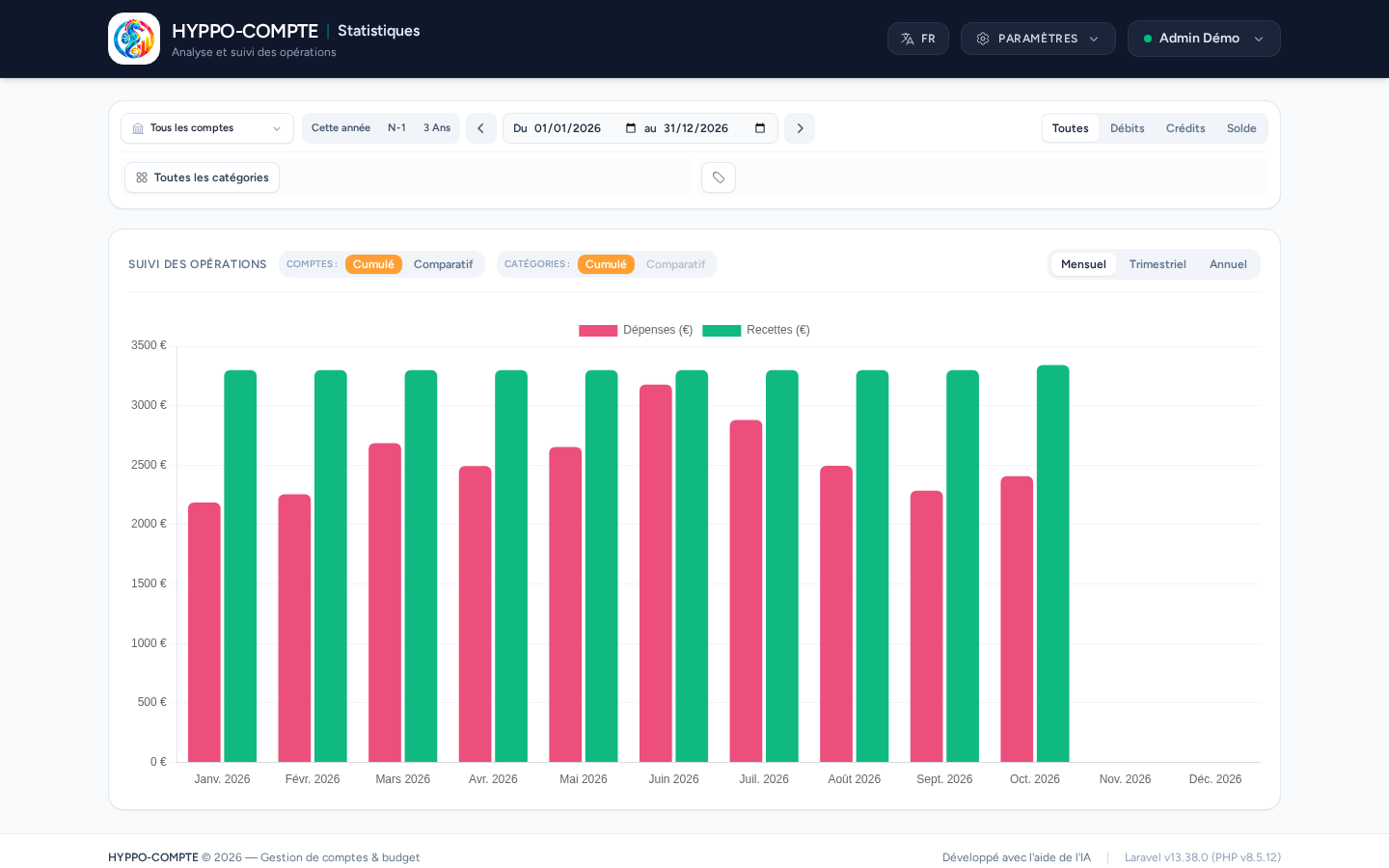
The Statistics page lets you analyze your expenses and income over time, across all accounts or account by account, with or without a breakdown by category.
Filtering by account
The Accounts picker lets you choose one or more accounts; by default (All accounts), the analysis covers all your accessible accounts, including closed accounts — useful to keep a consistent history even after replacing or closing an account.
Choosing the period
Three quick shortcuts are available: This year (January 1st to the current December 31st), N-1 (the entire previous year) and 3 years (the last three full years). Otherwise, the From / to fields let you define a custom period.
The ‹ and › arrows on either side of the dates slide the whole range into the past or the future by its own length: from a full calendar year you move to the previous or next year; from a full month, to the previous or next month; otherwise the range keeps the same number of days.
Filtering by operation type
The All / Debits / Credits / Balance filter determines what's shown on the chart: expenses, income, both separately, or their difference (balance) per period.
Filtering by category
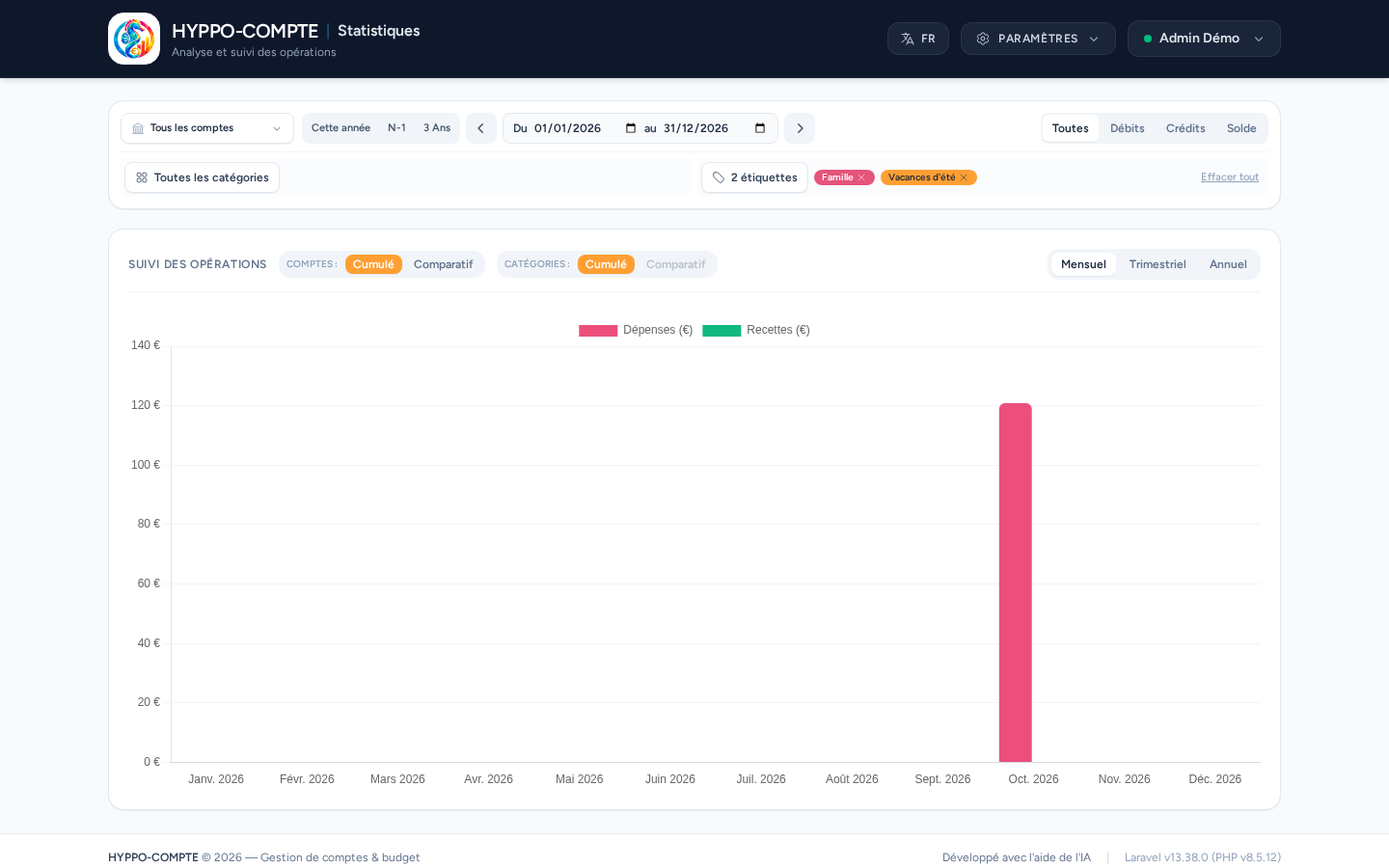
The All categories button opens a multi-select picker; each added category appears as a badge, individually removable, or all at once via Clear all. Two settings complete this filter:
- Include / Exclude: switches the filter to a blocklist (all categories except the listed ones);
- With subcategories: automatically includes the subcategories of the selected categories.
Filtering by tag
Once at least one tag exists, the categories row is split in two: categories on the left, the tag filter button on the right. Tick one or several tags, and only the operations carrying at least one of them are counted (an operation carrying several ticked tags is only counted once). Each retained tag appears as a pill, individually removable, or all at once via Clear all. This filter combines with the others (accounts, period, categories).
Display modes
Two independent Cumulative / Comparative toggles determine how the chart is composed:
- Accounts: Cumulative adds up all relevant accounts into a single series; Comparative shows one series per account.
- Categories: Cumulative doesn't distinguish between categories; Comparative shows one series per selected category. This mode is only available if at least one category is selected in Include mode — it wouldn't make sense in Exclude mode, since you'd then only be comparing the very categories you chose to ignore.
Combining both modes in Comparative shows one series per account × category combination. The time grouping (Monthly, Quarterly, Yearly) applies regardless of the chosen mode.
Multiple currencies
If the accounts covered by a total (accounts or categories) don't all use the same currency, the application automatically splits the total into one series per currency rather than adding up amounts that wouldn't make sense together.